
Hub Space: find and accept work
Jobs available for your specialties, what you've already accepted and your wallet.
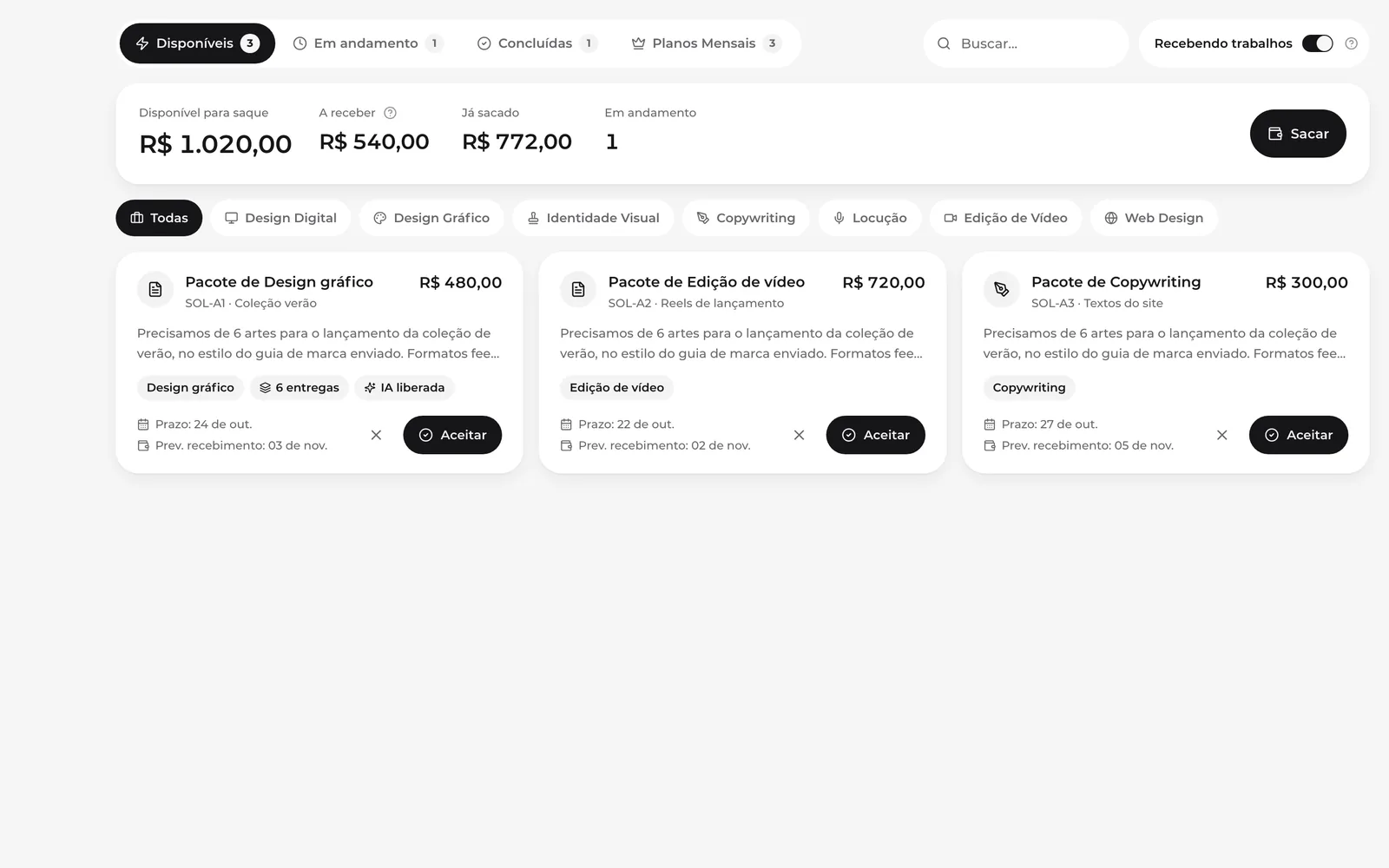
The tabs
- Available: open jobs in your specialties. Filter by category or search.
- In progress and Completed: what you've already accepted.
- Monthly plans: a company's recurring work for a fixed monthly amount (see below).
Accept a job
Each card shows the payout amount, the deadline, the expected payment date and whether the client allowed AI (AI allowed). Tap the card to see the full briefing and click Accept. Not now? Use Not now.
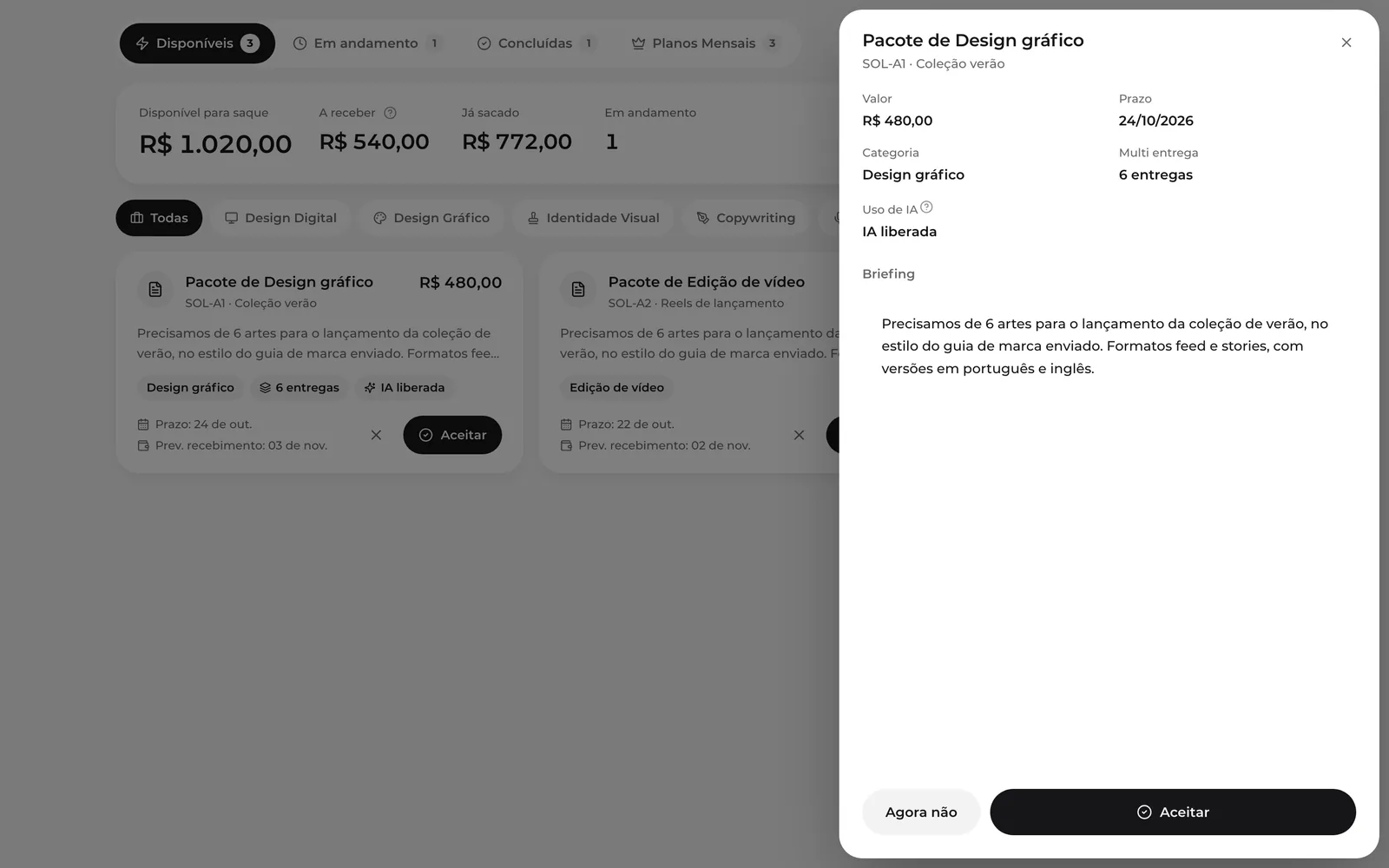
AI use: only use generative AI (images, copy, voices) when the job shows AI allowed. Without permission, production is done without AI.
Monthly plans
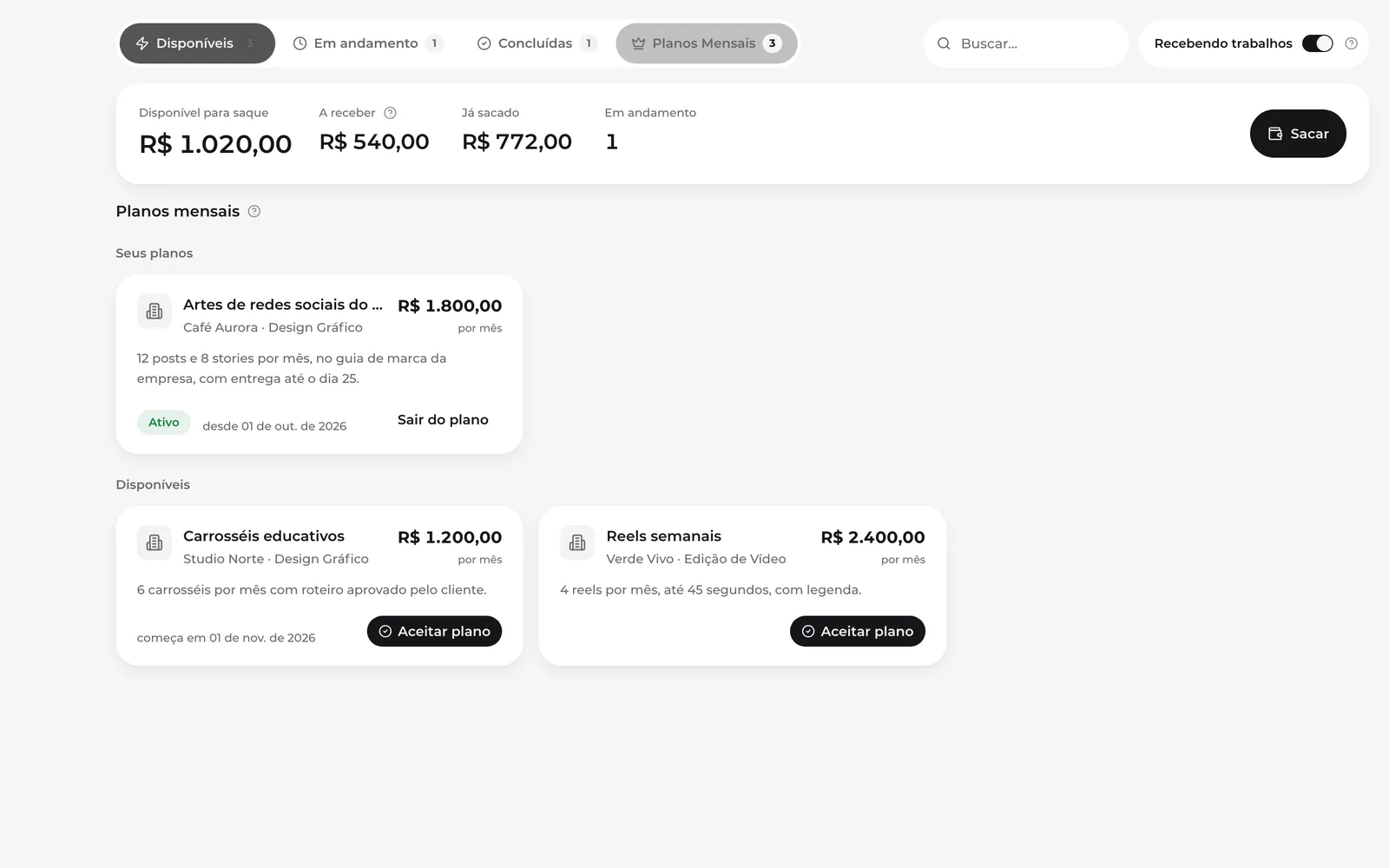
Formi may offer a company's recurring work, like the month's social media designs, for a fixed monthly amount.
- In Monthly plans, see what's included, the company and the monthly amount, and click Accept plan.
- From then on, that company's new requests in that category come to you as partner.
- Each month's payout goes into Finance by itself and is released 7 business days after month end, with the invoice or receipt attached.
- Want to stop? Use Leave plan: the current month stays, the next ones aren't created.
Receiving work
The Receiving work switch at the top pauses new jobs when you're fully booked. What you've already accepted continues as usual.