
Autopilot: change or cancel the plan
Change plans, add extras, update the card or cancel whenever you want.
Change plans and add extras
- In Companies › Plan & Contract, click Upgrade plan (or Change plan).
- Choose the plan (Start, Pro, Premium or Custom, where you build your own).
- Turn on the extras you want: extra networks, more posts per month, daily stories, Rapport, Digital clone and Avatar. The new price shows at the bottom.
- Save.
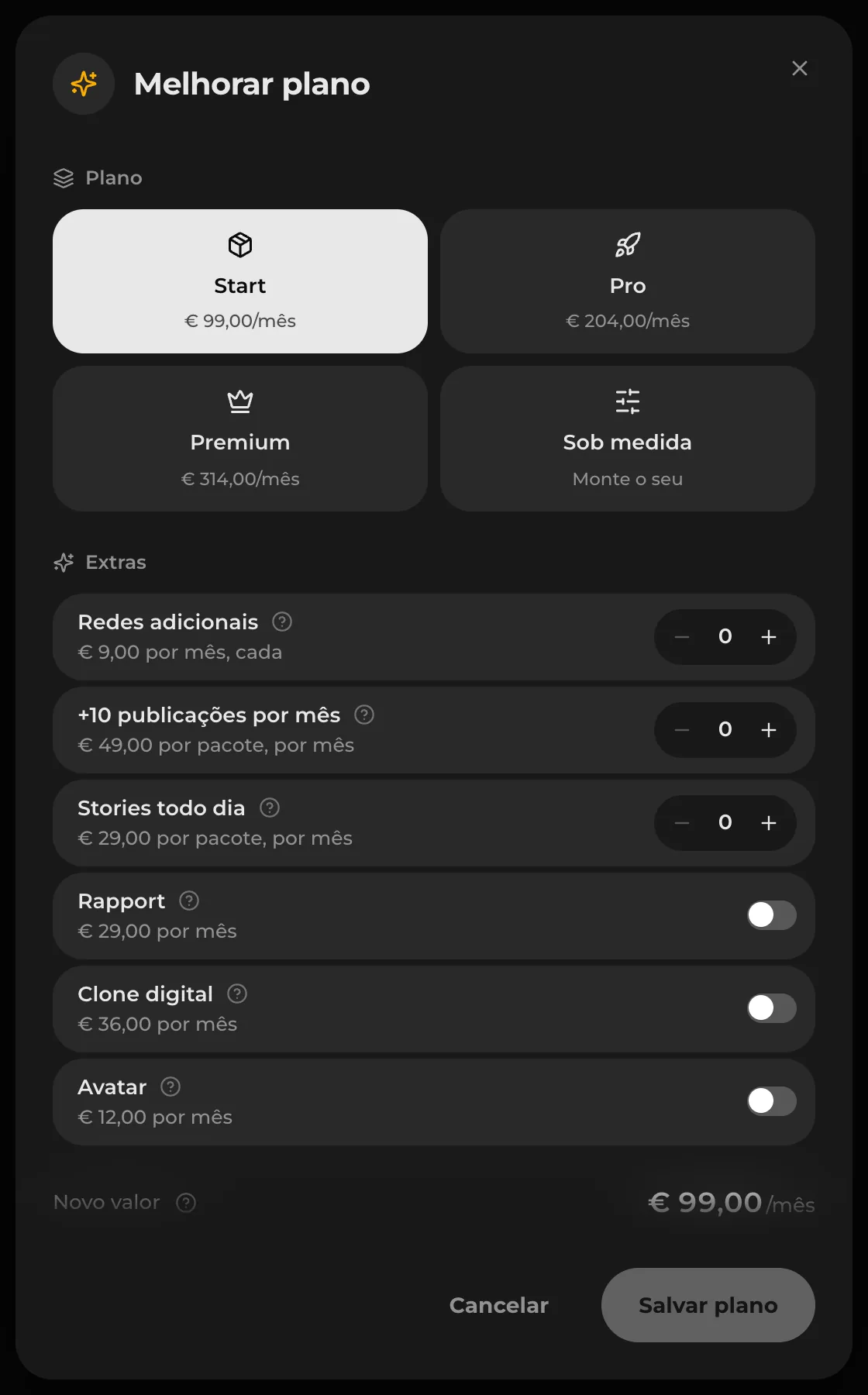
During the paid month, increases are charged right away, prorated until the end of the month, and decreases become credit on the next invoice. Only whoever subscribes to the company's Autopilot can change the plan.
Card and invoices
- Card: My account › Billing. If a payment fails, update the card and retry the charge right there.
- Invoices and receipts: in Formi, opening in a new tab.
Cancel
- During the trial: it ends right away, with no charge.
- On a paid plan: the next renewal is cancelled and access continues until the end of the period already paid.
- There's no commitment and no fee.
Billing is monthly, in euros, on the card on file. Each subscription belongs to one company.