
How to withdraw
Pick the released payouts, check the fee and receive to your registered account.
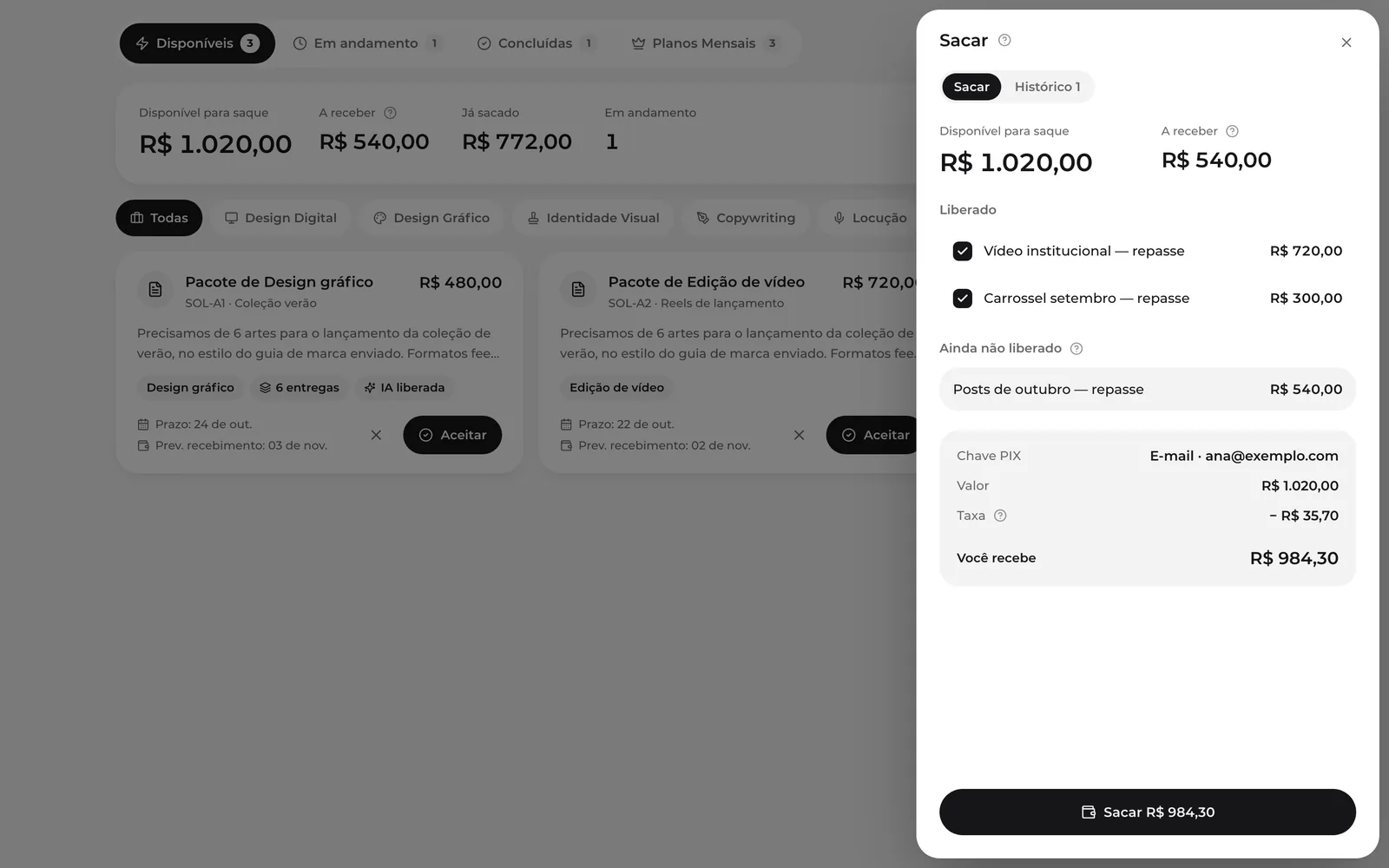
- In Hub Space, click Withdraw.
- Released payouts come pre-selected. Unselect what you don't want to withdraw now.
- Check the receiving account, the amount, the fee and what you'll receive.
- Click Withdraw. The transfer is sent automatically.
Fee and minimum
The transfer has a 3.5% fee, deducted from the amount.
History
The History tab lists every withdrawal with its status: Requested, Processing, Releasing, Paid, Declined or Cancelled.
No receiving account? The button stays disabled. Add your receiving details in your account.